Tasks and board
The board is the source of truth for what the team is doing. It is deliberately not a prompt box.
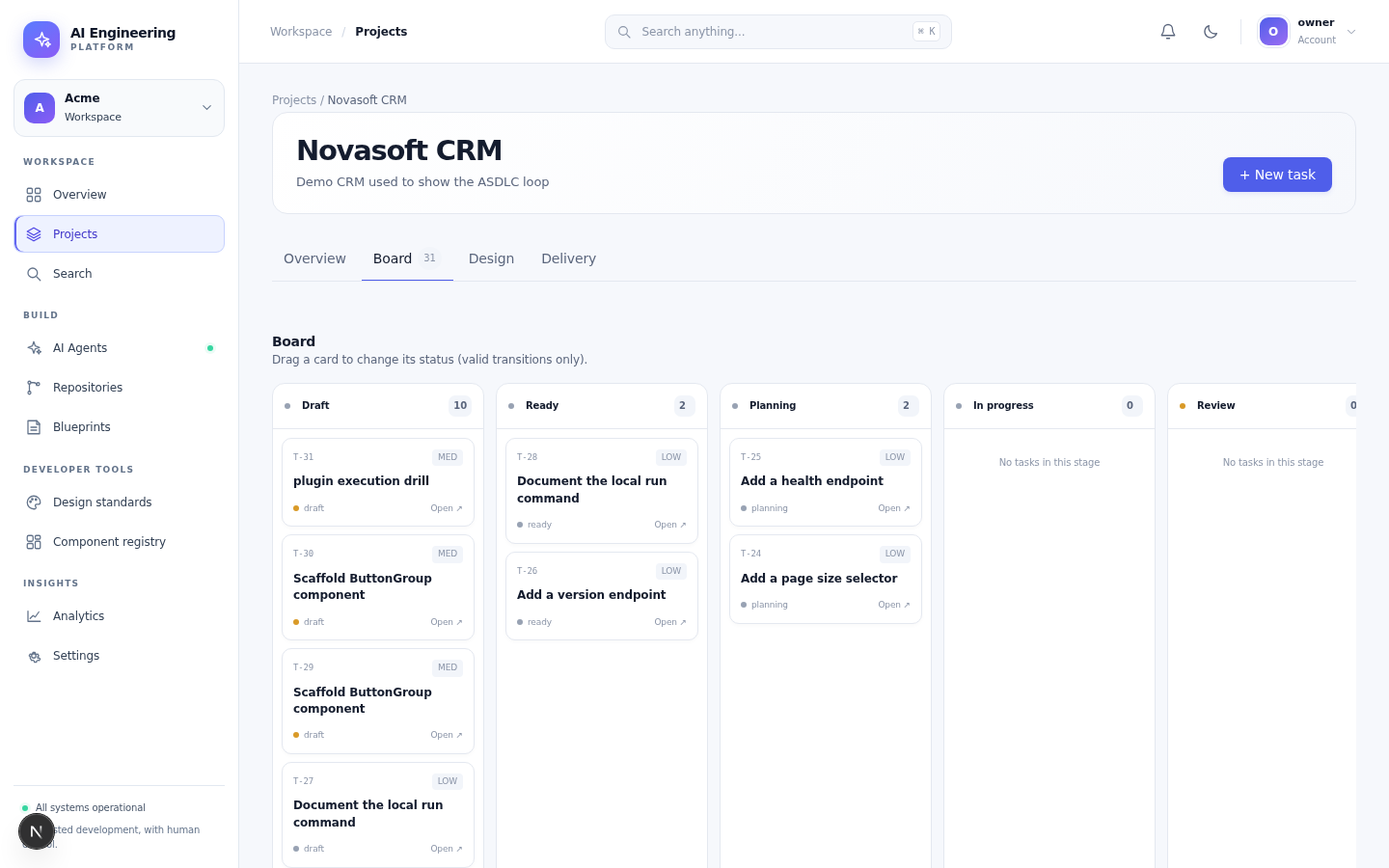
Draft, Ready, Planning, In progress and Review columns. A card only moves when the transition is valid.
Columns
| Column | Meaning |
|---|---|
| Draft | Incomplete idea; an agent cannot start |
| Ready | Meets the definition of ready and can be planned |
| Planning | A planning run is active or waiting for approval |
| In progress | A development run has an approved plan |
| Review | A pull request is open and checks are running |
| Done | The change is merged and the task is closed |
A blocked task leaves the flow and records a reason. A human decides how to unblock it; the agent does not guess.
Definition of ready
A task becomes Ready when all of these are true:
- the title is an imperative sentence (
Add SSO login, notSSO) - at least one acceptance criterion uses Given/When/Then
- the affected area or packages are identified
- what is out of scope is stated when scope creep is a risk
- dependencies are listed, or explicitly none
- the work is small enough for one agent run
If a criterion is missing, the platform keeps the task in Draft. This is a feature, not friction.
Create a task
- Open the project and choose Board.
- Select + New task.
- Write the outcome and context. Include constraints, links and current behaviour.
- Add acceptance criteria.
- Add design references or technical context.
- Save as Draft. Move to Ready when the definition of ready is met.
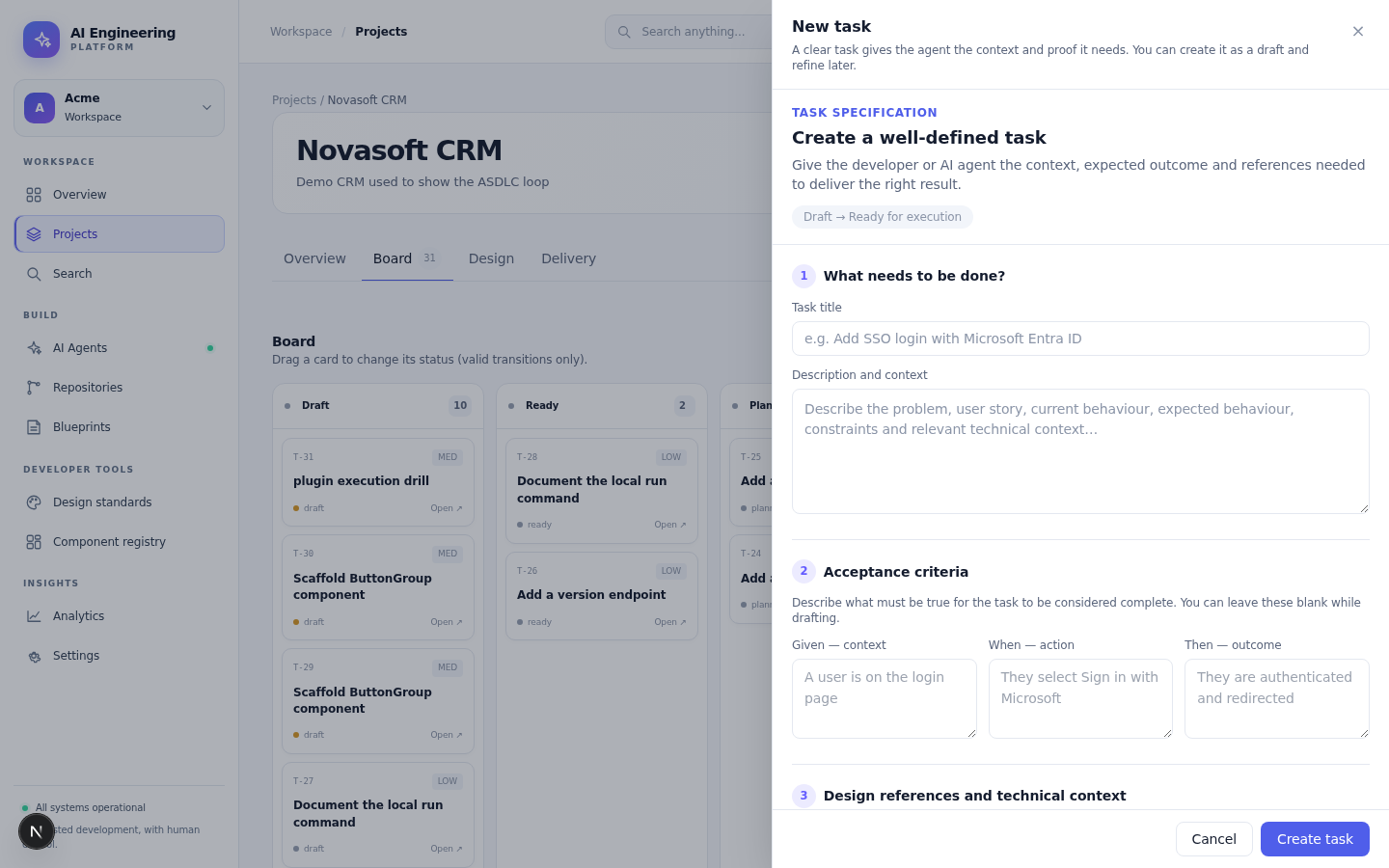
The task drawer asks for acceptance criteria before it asks for a model.
Good task hygiene
- One outcome per task. Split large work.
- Write acceptance criteria as observable behaviour, not implementation steps.
- Link the design or component when the change affects UI.
- State what must not change; this prevents unrelated edits.
- Keep the description current. The run freezes the context it received.
Priorities and filters
Tasks have a priority and labels. Use the board filters to focus on a project, a status or a priority. The API exposes the same filters for automation.
Permissions
- Members can create and edit tasks in accessible projects.
- Viewers can read the board and task details.
- Admins can configure the definition of ready and required approvals at project level.
Next
The task composer
The board's New task button opens the composer. It asks for the title and the description, then the acceptance criteria — the definition of done the agent must prove. A task without acceptance criteria cannot leave draft.
The composer also records the scope: what is in (the required behaviour) and what is out (the boundaries the agent must not cross). The agent reads the scope when it plans, and a diff that touches an out-of-scope file is a review finding.
The scope (DoR)
The Definition of Ready asks for:
- the title and the description,
- at least one acceptance criterion (given / when / then),
- the priority (low / med / high),
- the in-scope and out-of-scope notes when the task is ambiguous.
A task that fails the DoR stays draft; the board shows what is missing.