Quickstart
This guide runs the platform on one machine with Docker Compose. It is the fastest path to a first approved, merged task.
Prerequisites
- Docker 27+ with Compose v2
make,git,goandnodefor development commands- 8 GB RAM available to Docker (16 GB recommended for the full stack)
1. Start the local stack
cp .env.example .env
make keygen
docker compose up -d postgres redis minio mailhog
make dev
The API starts on http://localhost:18080, the web app on http://localhost:3000, and MinIO on http://localhost:9001.
Check the health endpoints:
curl -sf http://localhost:18080/readyz
curl -sf http://localhost:3000/login >/dev/null && echo web-ok
2. Sign in
Open http://localhost:3000, sign in with the demo account seeded by the local environment, and select your workspace.
If you are starting from an empty database, create an account from the register screen and follow the setup checklist on the overview.
3. Create a project from a blueprint
- Open Blueprints.
- Pick a template or create a blueprint version.
- Publish the version.
- Open Projects → New project and instantiate the blueprint.
- Connect the repository and choose the agent/model allowed for the project.
A project created from a blueprint already has the stack, test strategy, design rules, agents and starter tasks.
4. Create a task
- Open the project and choose Board.
- Select + New task.
- Write the outcome, context and at least one acceptance criterion in Given/When/Then form.
- Move the task from Draft to Ready once the definition of ready is satisfied.
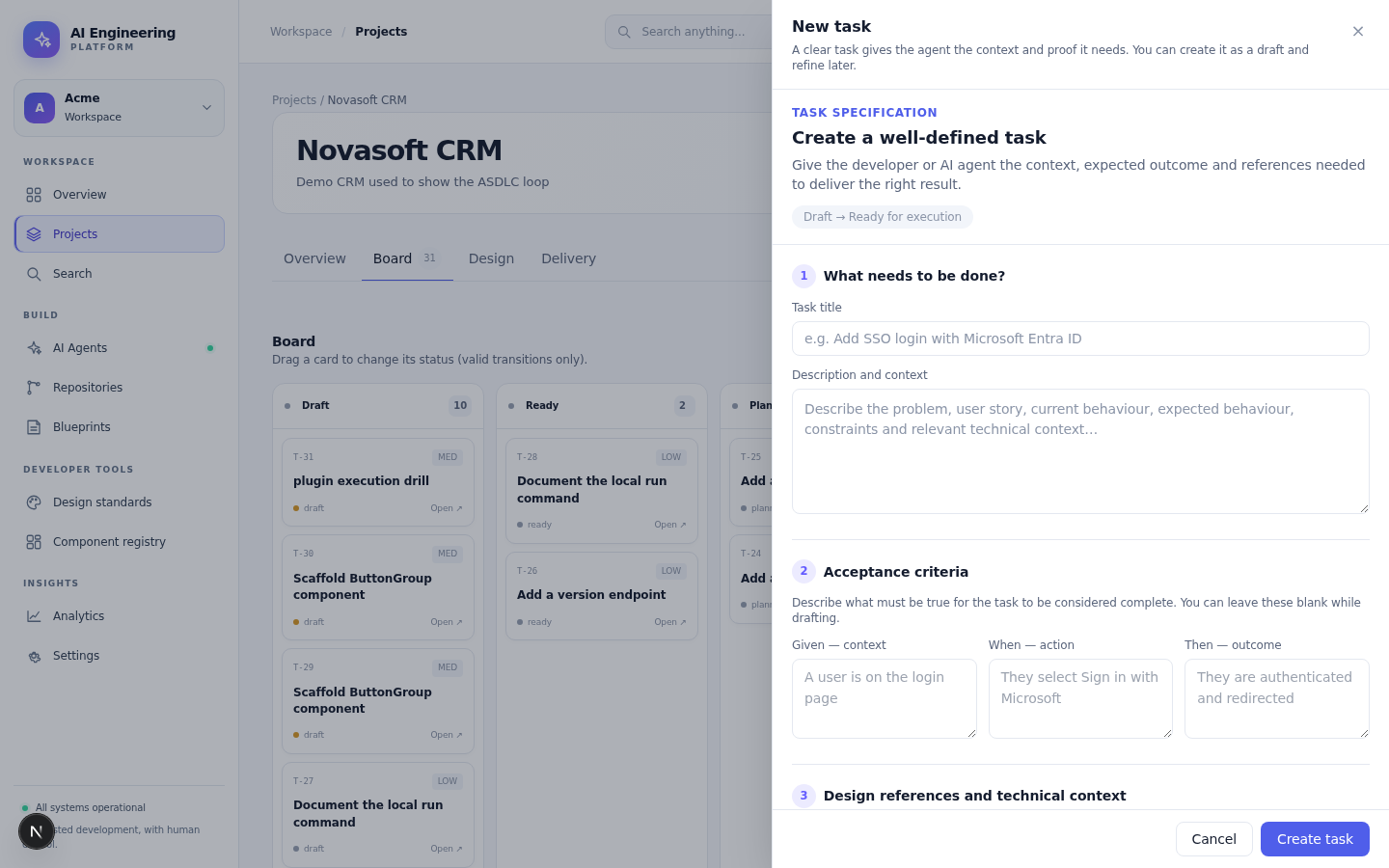
The task drawer: context, acceptance criteria and design references before an agent starts.
5. Run the planning agent
On a ready task, choose Run agent → planning. The run view shows the context snapshot, the plan and every event. The run stops at awaiting approval.
Approve the plan if it is correct; request changes or reject it otherwise. Nothing is implemented before this gate.
6. Build, test and review
Approve the plan, then start the development run. The agent works in a sandbox; the platform records the diff, tests, design checks and acceptance evidence. A pull request is opened when the work is ready.
Review the diff and the checks, then approve the PR. The merge queue serialises the landing; no agent can merge its own change.
7. Read the outcome
Open Analytics to see lead time, approval time, first-pass merge, proof validity and rework for the period. Open the run or the audit log to inspect the evidence behind a number.
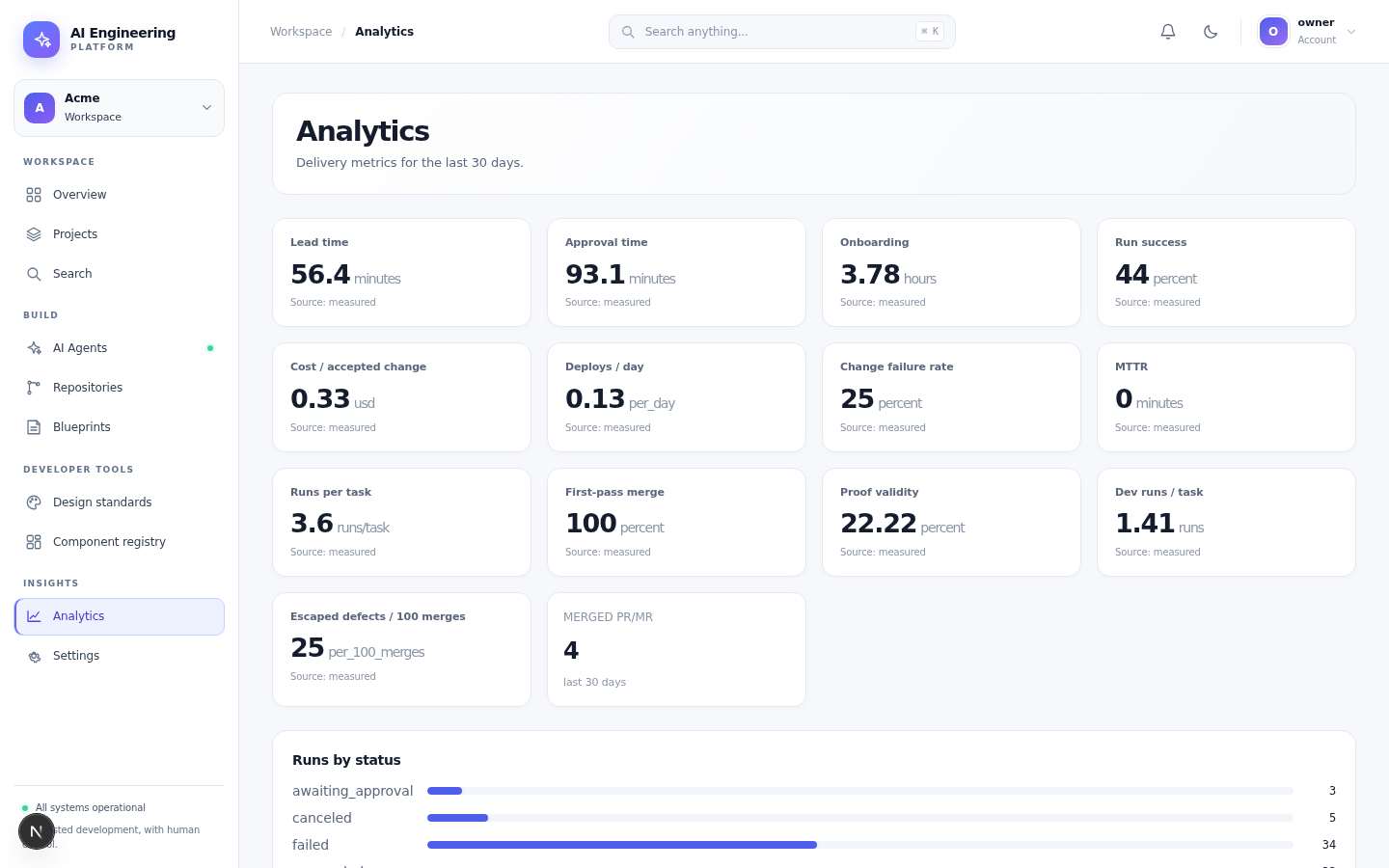
Delivery and outcome metrics are recorded from real runs, not estimated.
Stop and reset
make down
# remove local state only when you mean it:
docker compose down -v
Next
The demo data (make seed)
make seed creates the demo workspace so you can try the whole flow without typing it by hand:
- the org Acme (
acme) - the owner demo@acme.io (the password comes from
AIP_SEED_PASSWORD, the local default is in this quickstart) - the project Demo with three ready tasks (T-1, T-2, T-3)
Run it after make migrate-up:
make seedThe seed is idempotent: a second run returns the existing rows, it never duplicates them.